![OpTechDarkRMM[80]](https://optech.tech/wp-content/uploads/2026/05/OpTechDarkRMM80.png)
Understanding the Limits of Cloud Data Protection
Cloud platforms like Microsoft 365 and Google Workspace have revolutionized how organizations store, access, and manage their data. With robust security features, automated backups, and real-time collaboration tools, it’s easy to assume that these services provide comprehensive protection against all forms of data loss. However, relying solely on built-in cloud data protection often leads to a false sense of security—one that can leave businesses vulnerable to unexpected threats.
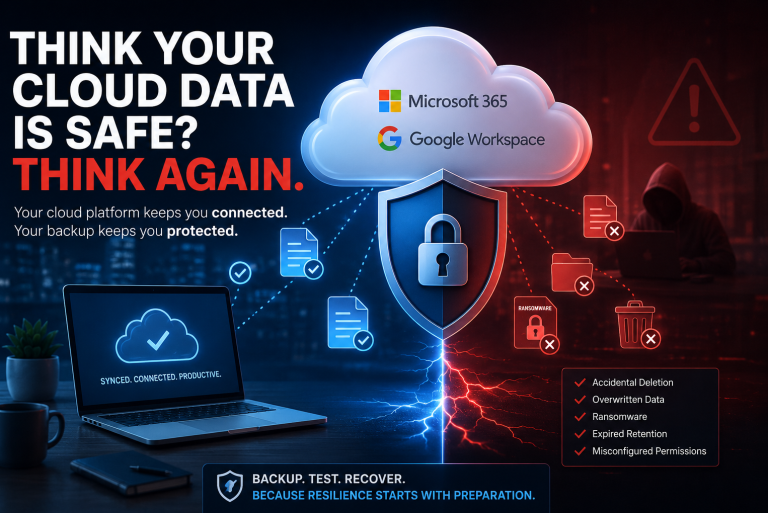
While Microsoft 365 and Google Workspace safeguard data from hardware failures and some cyber threats, their native backup and recovery options are limited in scope and duration. For instance, deleted files in OneDrive or Google Drive are typically retained for only a short period before being permanently erased. Furthermore, these platforms cannot always protect against human errors, such as accidental deletions, overwriting of files, or malicious insider actions. Ransomware attacks or sophisticated phishing campaigns can also compromise cloud-stored information, highlighting the need for additional layers of defense.
Common Limitations of Native Cloud Protections
- Retention Periods: Data is often recoverable only within a specific timeframe, after which it becomes irretrievable.
- Limited Recovery Options: Restoring individual files or specific versions can be cumbersome or impossible after certain events.
- User-Driven Risks: Mistakes and intentional deletions by users may bypass cloud safeguards.
- Third-Party App Vulnerabilities: Integrations can introduce new risks that default protections do not address.
Recognizing these limitations is the first step toward creating a resilient data protection strategy. By understanding where built-in safeguards fall short, organizations can proactively implement additional solutions to prevent costly data loss and ensure business continuity.
The Reality of Shared Responsibility in the Cloud
Many organizations migrate to cloud platforms like Microsoft 365 and Google Workspace under the assumption that their data is automatically safe from loss, threats, or accidental deletion. However, this belief often overlooks a crucial aspect: the shared responsibility model. In the cloud, security and data protection are not handled solely by the service provider; instead, they are a collaborative effort between the provider and the user.
Cloud service providers such as Microsoft and Google are responsible for the infrastructure, ensuring that their platforms are resilient against hardware failures, natural disasters, and large-scale cyberattacks. They guarantee uptime, perform routine maintenance, and manage the physical security of their data centers. Yet, when it comes to the data itself—your emails, documents, and user information—the responsibility shifts. Users must safeguard their own content from risks like accidental deletion, malicious insiders, ransomware, and compliance failures.
Key Elements of Shared Responsibility
- Provider Responsibilities: Platform availability, infrastructure maintenance, and physical security.
- User Responsibilities: Data backups, access control, threat detection, and regulatory compliance.
This division of roles means that even in the cloud, businesses cannot rely solely on built-in protections. Understanding the reality of shared responsibility is the first step toward developing a robust strategy to avoid data loss and maintain business continuity in Microsoft 365 and Google Workspace environments.
Common Scenarios Leading to Data Loss in Microsoft 365 and Google Workspace
Despite the robust security features embedded within Microsoft 365 and Google Workspace, data loss remains a pressing concern for organizations relying on these cloud-based productivity platforms. Understanding the most frequent scenarios that can lead to data loss is crucial for implementing effective preventative strategies.
Accidental Deletion
One of the most prevalent causes of data loss is accidental deletion. A user may unknowingly delete critical files, emails, or entire folders, assuming they are no longer needed. While both Microsoft 365 and Google Workspace offer recycle bin or trash functionalities, these are only temporary solutions. If the deleted content is not restored within a specific retention period, it becomes permanently lost.
Malicious Actions
Insider threats, such as disgruntled employees intentionally erasing or corrupting data, pose a significant risk. Additionally, cybercriminals targeting accounts through phishing attacks or malware can deliberately compromise or delete sensitive information across shared drives and mailboxes.
Synchronization and Third-Party App Issues
Data synchronization errors between devices or integrations with third-party applications can inadvertently overwrite or delete information. Incompatibilities or misconfigurations during sync processes often result in the loss or corruption of valuable business data.
Software or Hardware Failures
Although cloud platforms are designed for high availability, rare software bugs or temporary service outages can disrupt access to data or, in extreme cases, result in partial data loss.
Recognizing these common scenarios is the first step in building a resilient data protection strategy, ensuring that your organization’s information remains secure and recoverable.
The Importance of a Reliable Recovery Plan
In the rapidly evolving landscape of cloud-based productivity tools, such as Microsoft 365 and Google Workspace, organizations are enjoying unprecedented flexibility and collaboration. However, this digital transformation also introduces new vulnerabilities, making data loss a real and significant threat. A reliable recovery plan serves as a critical safeguard, ensuring that valuable information remains accessible, protected, and resilient against disruptions.
Data loss can occur unexpectedly due to a variety of reasons—ranging from accidental deletion and malicious attacks to software glitches and synchronization errors. While both Microsoft 365 and Google Workspace offer built-in safeguards, these native features often have limitations when it comes to long-term retention, comprehensive restoration, and granular recovery. Relying solely on default protections can leave organizations exposed to costly downtime, lost productivity, and potential compliance issues.
Key Benefits of a Reliable Recovery Plan
- Business Continuity: Ensures that mission-critical data is quickly recoverable, minimizing interruptions to workflow and operations.
- Regulatory Compliance: Supports adherence to data protection regulations by enabling secure retrieval and retention of sensitive information.
- Risk Mitigation: Reduces the impact of cyber threats, accidental deletions, or system failures by providing a trusted backup and restoration process.
By prioritizing a well-structured recovery plan, organizations not only protect their digital assets but also reinforce stakeholder trust and maintain operational resilience in an ever-connected world.
Why Regular Backup Testing Is Essential
In the fast-paced digital landscape, organizations rely heavily on cloud solutions like Microsoft 365 and Google Workspace to power their daily operations. While these platforms offer robust security and built-in data protection, they are not immune to data loss caused by human error, cyberattacks, or unexpected system failures. To safeguard critical business information, regular backup testing becomes not just a best practice, but an imperative.
Ensuring Data Recoverability
Simply having backups in place does not guarantee data recovery when disaster strikes. Regular testing of your backup systems validates that stored data is both complete and accessible. By simulating real-world recovery scenarios, teams can identify gaps or issues in backup configurations, ensuring that restoration processes work seamlessly when needed most.
Minimizing Downtime and Business Disruption
Unanticipated data loss can result in prolonged downtime and significant business disruption. Routine backup testing empowers organizations to refine their recovery procedures, reducing the time it takes to restore operations after an incident. Teams become familiar with the step-by-step process, minimizing confusion and delays during high-pressure situations.
Compliance and Peace of Mind
Many industries are governed by strict regulations that require demonstrable data protection practices. Regularly tested backups help organizations meet compliance standards and pass audits with confidence. More importantly, consistent testing offers peace of mind—knowing your data is secure and recoverable, regardless of the threat landscape.
By prioritizing regular backup testing within Microsoft 365 and Google Workspace environments, organizations lay a solid foundation for reliable data protection and resilient business continuity.